top of page

In this project, we explored IoT toolkit (Particle Electron, Blynk, Alexa, IFTTT) to build a smart fridge container which can help users to censor the freshness of food and remind people to take away their food before the food decomposes. So we can not only reduce the food waste, but also create a better environment in out studio.
Key words: digital development, IoT, censors, Ardunio, Particle Electron, Amazon Alexa, Blynk, IFTTT
SMART FOOD CONTAINER

BACKGROUND
We have a shared fridge in studio at Institute of design. But things also become disgusting because people forget their food. Decomposed food always packed the fridge. Although student group and school administers sent lots of emails to remind people to take away their food, the outcome is still not satisfying.
SOLUTION
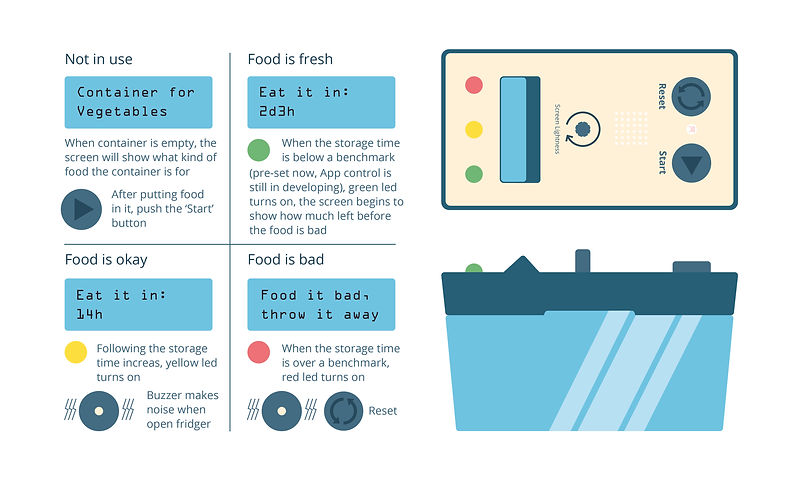
We designed a smart food container which can count time that the food has been staying in fridge and send email to the owner to remind to take the food. When users put food into the containers (we used four button to replace weight censor), the timer will begin to count. When the food is not fresh, the container will sent an email to the user and it will make noise when somebody open open the fridge (photoresistor).
DIGITIAL DEVELOPMENT
ARDUINO PROTOTYPE
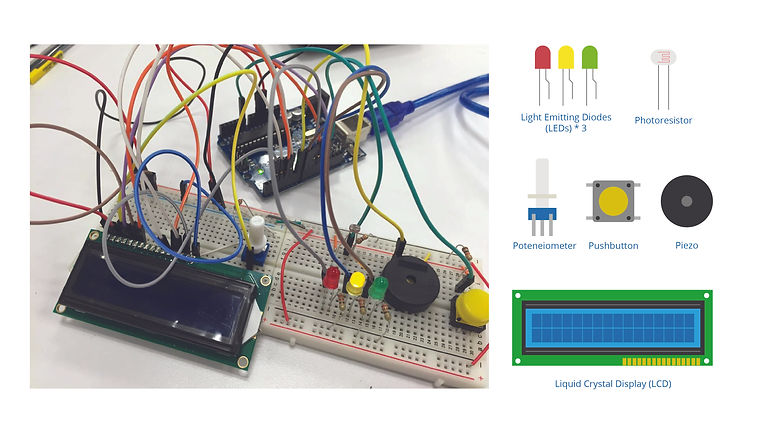
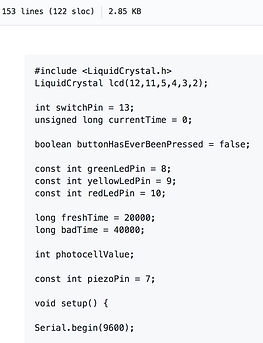
We used Arduino to prototype the product to text the basic function, because Arduino is comparatively easy to prototype and there are more tutorials available online.
ARDUINO PROTOTYPING
ARDUINO CODES
ELECTRON PROTOTYPE
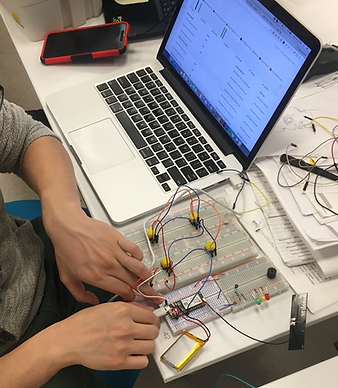
After exploring Arduino, we moved our project in to Particle Electron. We also connect smartphone with the product through Blynk, and connect email with the product through IFTTT.

WORKFLOW
ELECTRON PROTOTYPING
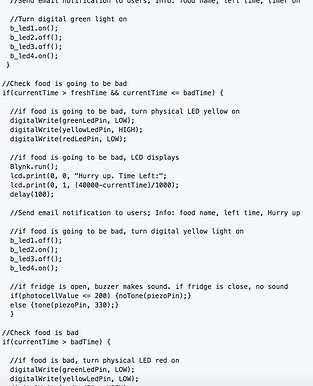
ELECTRON CODES
BLYNK PROTOTYPE
After exploring Arduino, we moved our project in to Particle Electron. We also connect smartphone with the product through Blynk, and connect email with the product through IFTTT.

PHONE APP MADE BY BLYNK



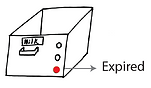


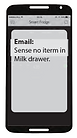

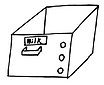
USE IFTTT TO SEND EMAIL AND COLLECT DATA
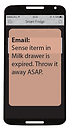
We used IFTTT to link our electron with email and google spreadsheet to record the data. So we can receive email when food is not fresh and the data can be later reviewed through google sheet.
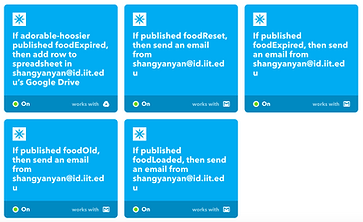
5 SCENARIOS


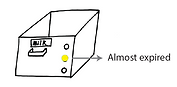
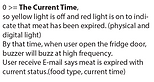
ONE OF THE SCENARIOS

RECORD IN GOOLE SHEET
SEND EMAIL
VOICE USER INTERFACE
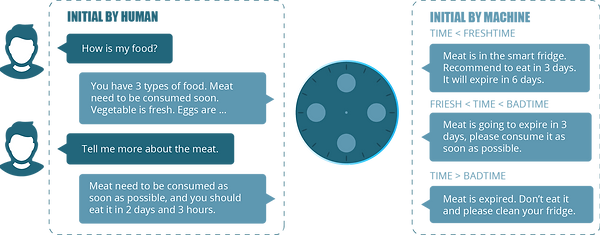
After prototyping the product, we thought about adding voice user interface into the product. We used Amazon Alexa to code a basic prototype. The VUI includes two types of conversation, the first is initiated by human asking about the condition of their food, and the other one is initiated by the machine when the food is not fresh.
LESSON LEARNED FROM DIGITAL DEVELOPMENT
How to begin to code without coding background
There were several weeks, we didn’t know how to begin. Because coding is a totally new area for us to explore. Then we learn we need to come up with our story first, in other words, what kind of experience we want to create. Then we should sketch out our initial ideas either on blank paper or whiteboard. Then when we go to the details about the code, we need know how to find existing resources and codes online and put them together to make workable codes for our purpose.
Divide code into chunks, and debug from the beginning little by little
When we coded for the first time, we coded all the things in the same document in particle ide (electron, blynk, IFTTT...). Then we didn’t know how to debug it when it told us there were bugs in the code. The second time we learned to divide the code into different chunks and combine them together after we make sure each chunk is working well. it’s much easier for us to test each function separately and locate errors accurately. This kind of thinking can also be used in solving design problems. When you have a big problems don’t know how to deal with, try to break it into parts to solve separately.
Do MVP and don’t try to prototype a fully functional product at once
At the beginning of the project, we tried to prototype all the features at the same time, and we were even naive enough to think about making a IOS app. But then we realized that as designers who never coded before, prototyping all the features at the same time is impossible. So we deleted some detailed functions which we have no capabilities to code right now and finally come up with a minimal viable product. Then we add Blynk, IFTTT, Alexa into the product step by step.
How to communicate with engineers and different kinds of storyboard
We found difficulties while communicating with our instructors. We thought engineers can understand our code easily, but the fact is opposite. Then we tried to communicate with our instructors by different kinds of tools, such as storyboard, scenario, aspect model. We found that engineers have different interpretation and usage of scenario and storyboard which blocked our communication at the beginning. Engineers prefer more detailed experience which can directly benefit coding from storyboard and scenario, but designers used to map overall experiences by them. Also description between code lines is helpful.
bottom of page